
See what your exported messages can look like.
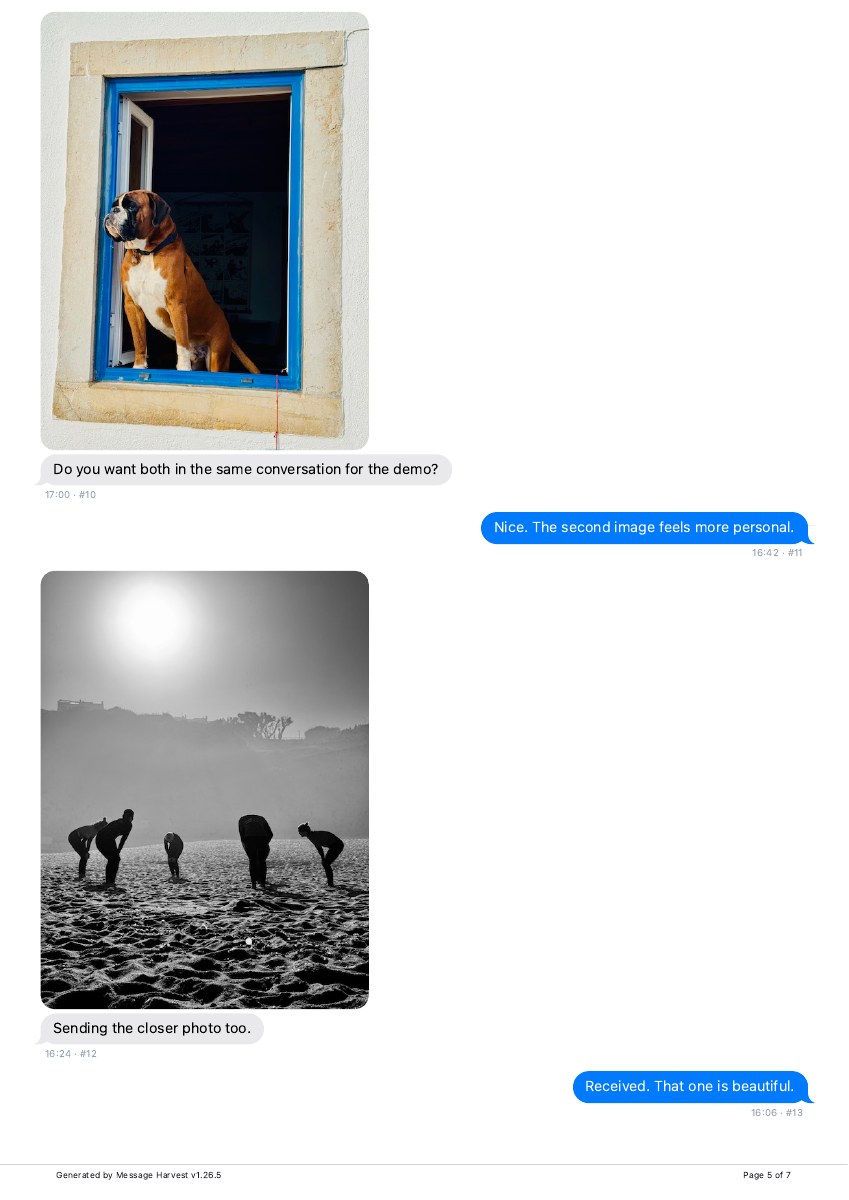
Actual export · fictional demo messages
A real PDF. Open every page.
This seven-page sample contains 30 messages and two photos, with a conversation summary and timestamps in the transcript.
- Participants and datesFind the phone numbers and selected date range on page 1.
- Messages in contextInspect the conversation and timestamps on pages 4–6.
- Available photosSee how the two retained images appear on page 5.
Demo data. Your export depends on your backup and settings.
Already have the conversation in Messages on your Mac?
Apple’s Messages app can print a conversation or create a PDF using File → Print and the PDF menu. It is a useful first option if the conversation you need is already available there. Check the generated file to see what was included. See Apple’s Messages user guide.
MessageHarvest takes a different source: a local iPhone backup. Use it when you need to work from that backup, filter dates, choose a transcript layout, or export to additional formats.
Save a PDF from an iPhone backup.
- Create or open a local backup. Use MessageHarvest or Finder to make one, or choose an existing backup. The full export guide covers setup.
- Find the conversation. Check the participants and the period you need.
- Choose Export → PDF. Pick a readable conversation layout or a formal transcript.
- Set paper size and time zone. Turn on printer-friendly mode if you plan to print.
- Include media or supporting information as needed. These depend on what the backup contains.
- Save and open the PDF. If the app opens the macOS print dialog, use its PDF menu to save the document.
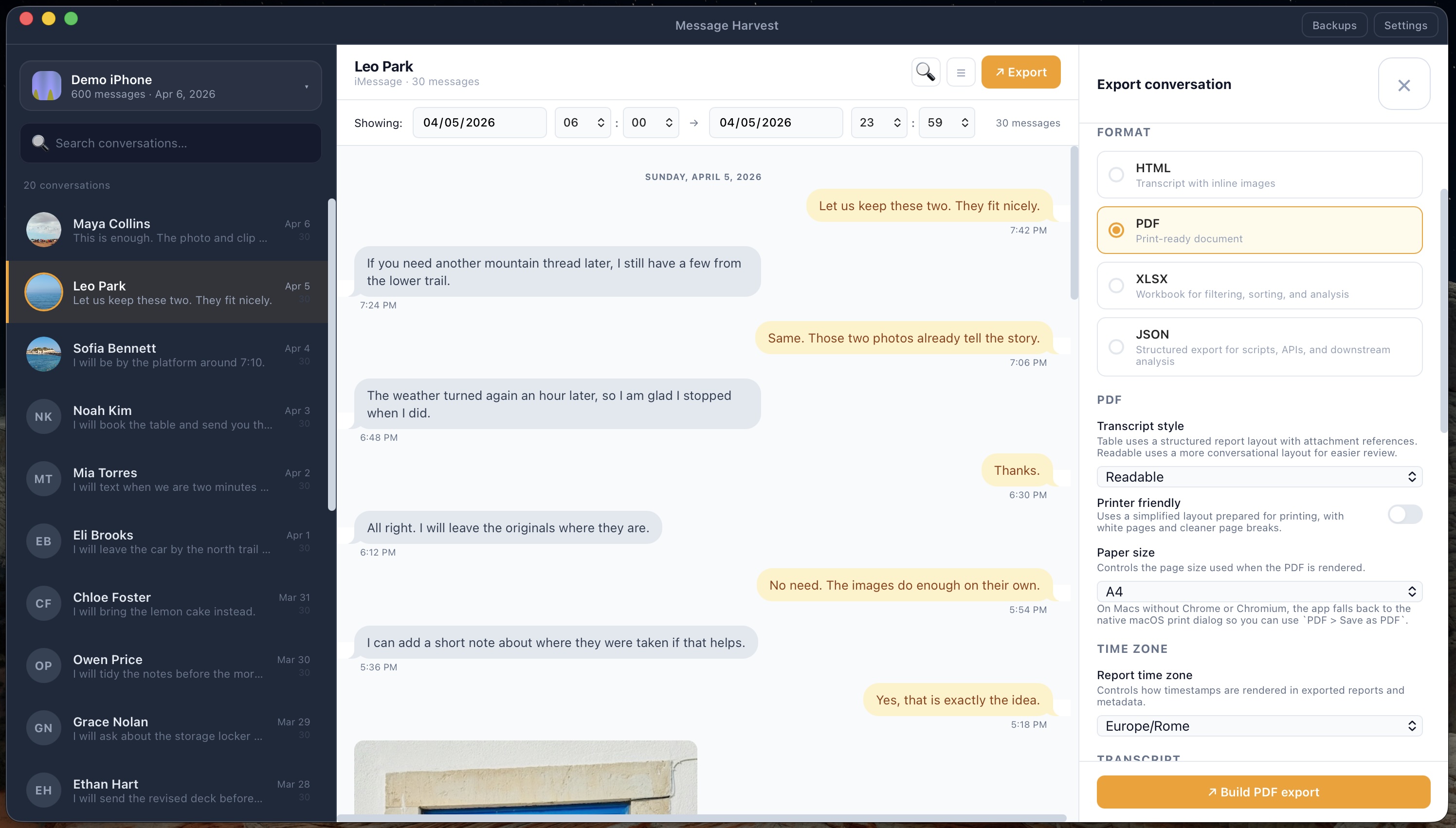
Export a whole conversation without screenshots.
MessageHarvest reads the messages in your local iPhone backup and builds the document from that data. Select the conversation and check the date filter before exporting. A paid license removes the six-message trial limit; it cannot supply messages missing from the backup.
For a long thread, inspect the first and last messages and a few pages in between. If you want an archive to browse rather than a fixed document, consider saving an HTML copy too.
Check these details before sending it.
- The correct conversation and participants.
- The start and end dates you intended to include.
- A clear and consistent report time zone.
- Readable page breaks and text size.
- The photos and attachments needed to understand the exchange.
Keep the original exported document alongside any annotated or redacted copy you create later. For formal review, ask the recipient which layout and supporting information they need.
Common questions
Can I do this entirely on my iPhone?
MessageHarvest requires an Apple Silicon Mac. It is not an iPhone app.
Can I export only a date range?
Yes. Review the conversation’s date filter before exporting.
Can I try PDF export for free?
Yes. Trial mode exports the latest 6 visible messages per conversation. Full exports require a license for the source iPhone.
Will the PDF contain every photo?
Only media available in the imported backup can be included. Check the finished document before relying on it.