
Find a specific exchange.
Search messages in your imported backup, browse iMessage and SMS conversations, and narrow the date range. Keep the surrounding discussion when you export.
See how to find and export messagesiMessage & SMS export for Mac
Export iMessage and SMS from a local iPhone backup as PDF, HTML, Excel or JSON. Keep timestamps and available photos. Your messages stay on your Mac.
For Apple Silicon Macs (M1 or later) · macOS 12+
Free trial: preview and export the latest 6 messages per conversation. No credit card.
Full exports: $19 USD for one iPhone, paid once.
Save this download-page link and open it on an Apple Silicon Mac with macOS 12 or later.
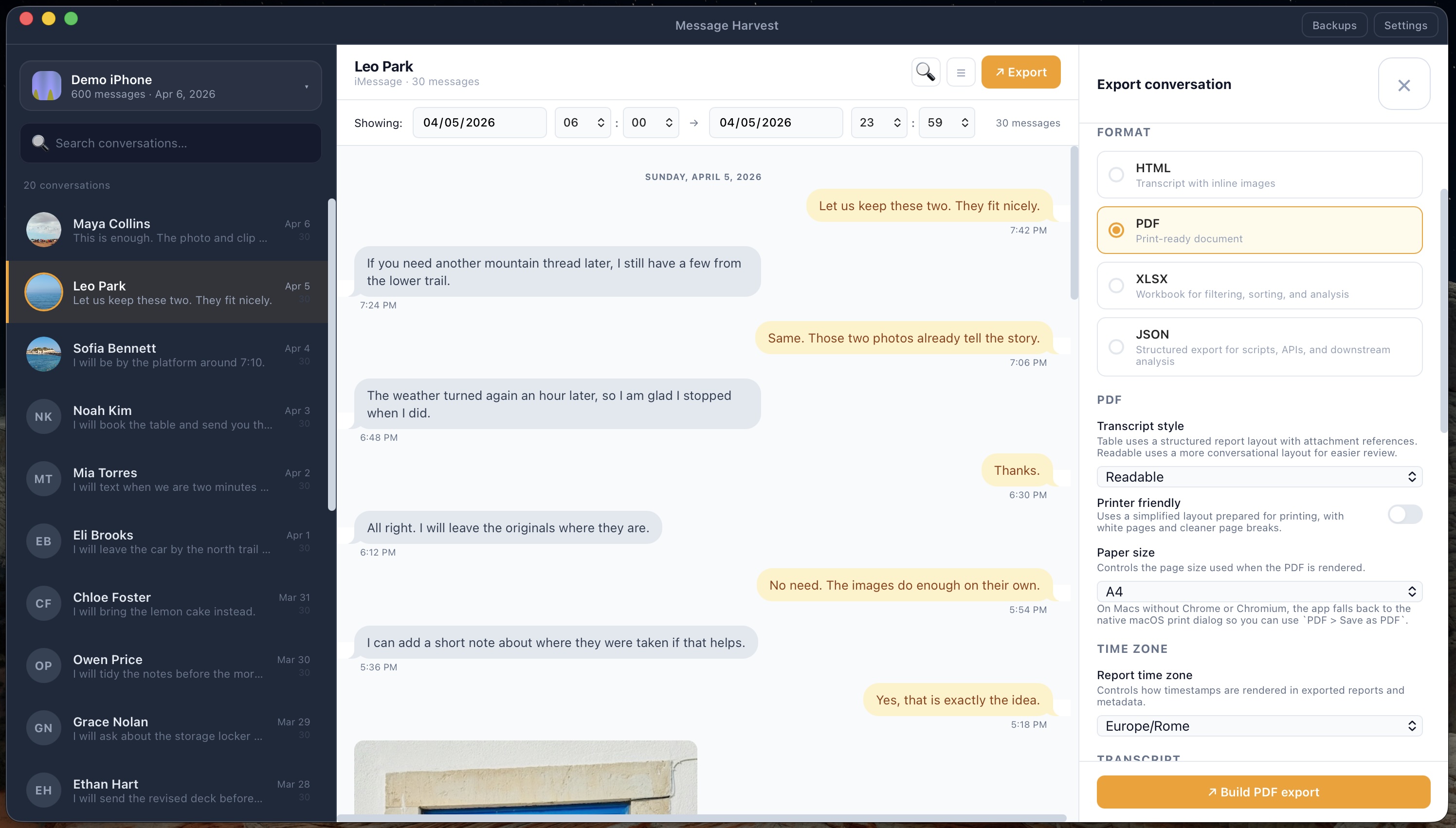
Export messages, timestamps and available photos in a format you can use. Explore a readable document, a browser archive, or structured data.
Actual sample · page 5 of 7 · fictional demo messages

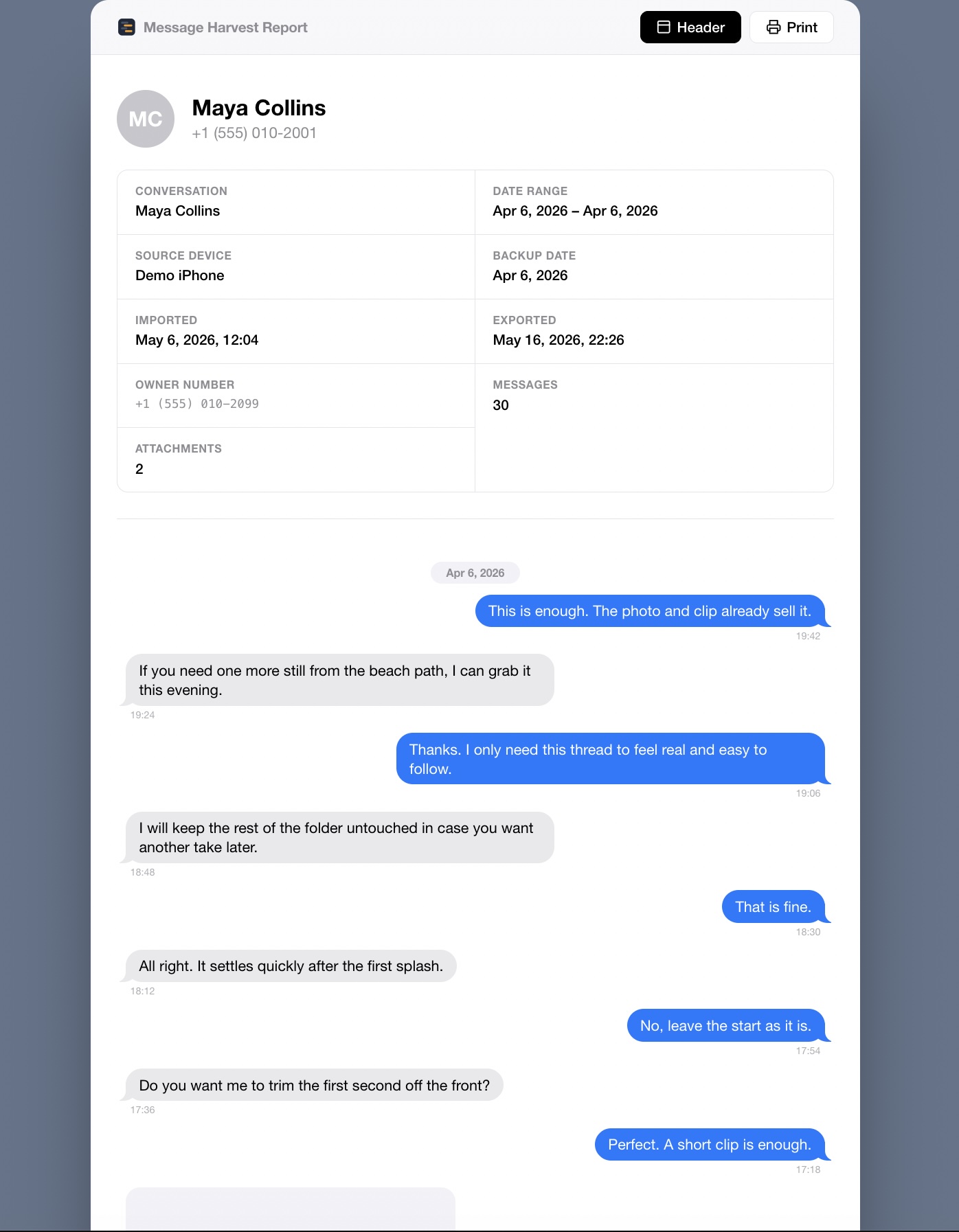
Actual archive · fictional demo messages
Format overview. Try an XLSX export with your own backup.
A workbook for sorting, filtering, and reviewing message records.
Format overview · not an export preview
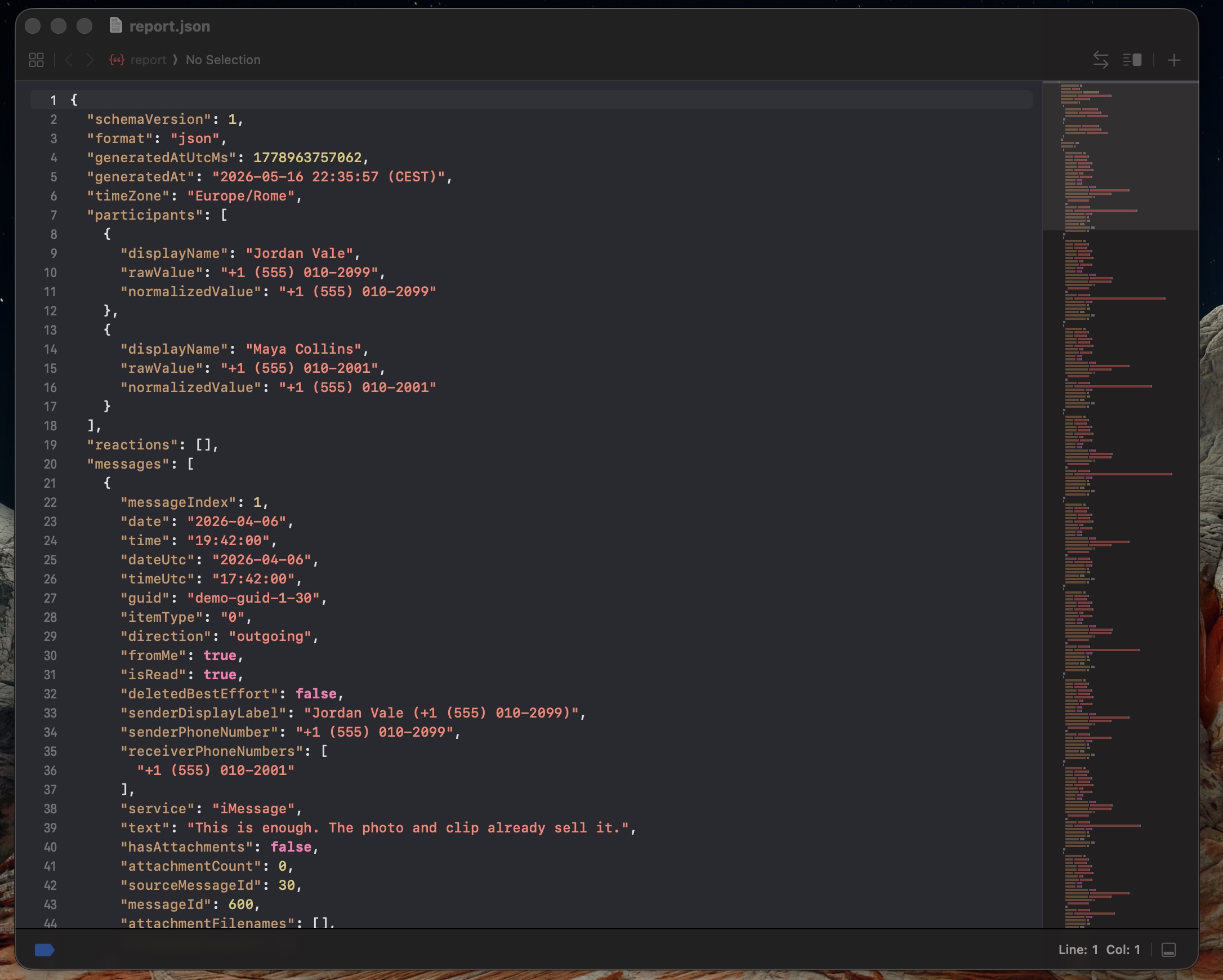
Screenshot of a MessageHarvest JSON export.
Use a local iPhone backup, or connect your iPhone to create one in the app.
Browse your messages and choose the conversation and date range you need.
Save as PDF, HTML, Excel or JSON. Open the file and check your messages and media.
The same workflow is explained in the step-by-step guide above.
Find, filter, review
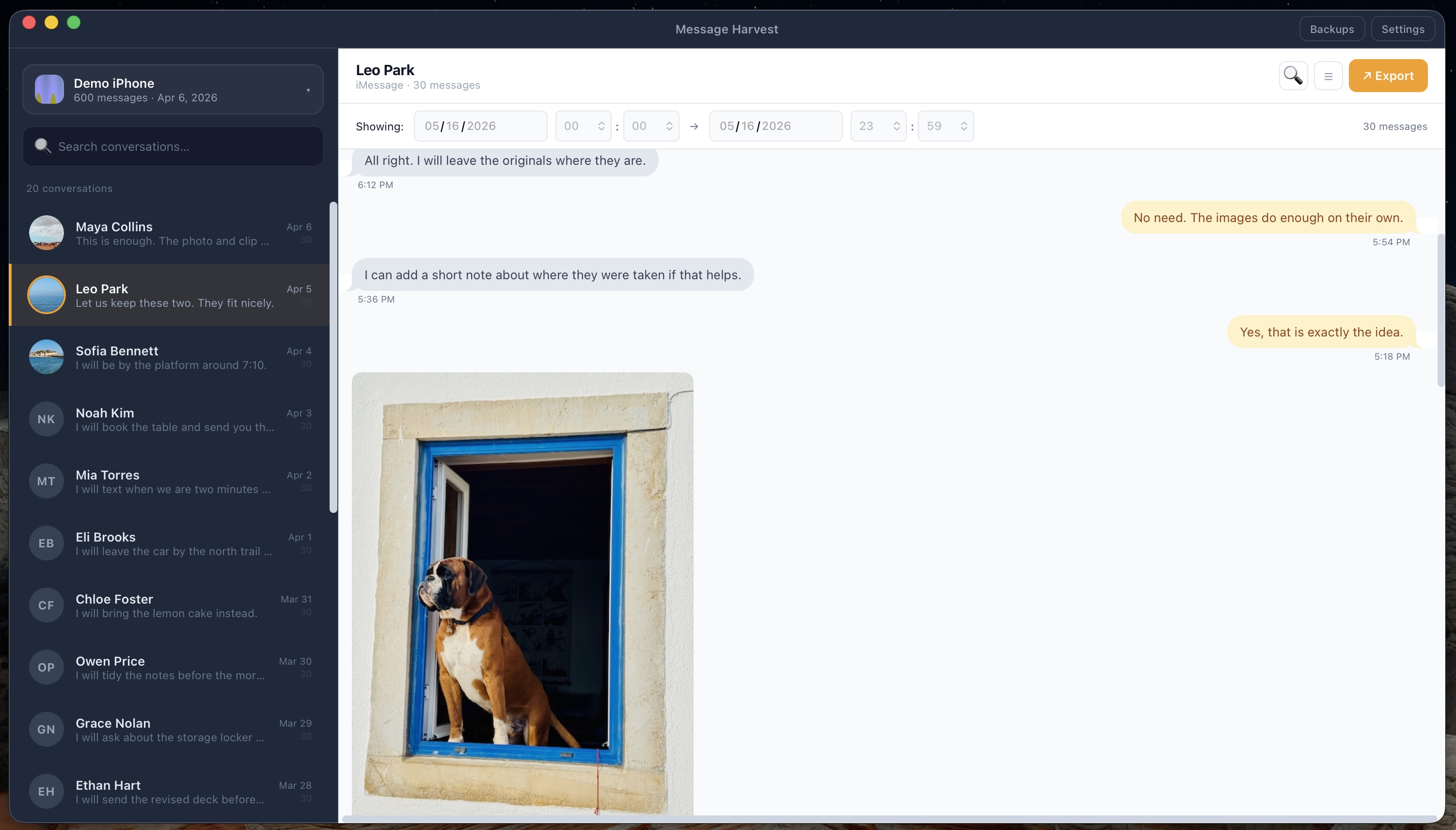
Search messages in your imported backup, browse iMessage and SMS conversations, and narrow the date range. Keep the surrounding discussion when you export.
See how to find and export messagesChoose a readable or formal transcript. Include participant details, timestamps, conversation and device metadata, and an attachment inventory with optional SHA-256 hashes.
Explore records for legal reviewAn export does not certify evidence or guarantee court acceptance.
Private by design
Personal conversations deserve a private workspace. MessageHarvest reads your local iPhone backup and saves your exports on your Mac.
Read the privacy policyYour messages and attachments are processed locally. They are not sent to our servers.
Enter the original backup password to decrypt an encrypted backup on your Mac.
Licensing, update checks, and checkout use the internet. Your message content is not uploaded.
Pricing
Pay for the source iPhones you need to export. Install on multiple Macs. No subscription.
Full conversation viewing, full exports, and ZIP packaging require a license.
Already installed? Open Activate in MessageHarvest to buy a license.
Prices in USD. Each seat is permanently assigned to one source iPhone and cannot be transferred to another. Additional packs add seats to your license.
Mac with Apple Silicon (M1 or later) and macOS 12+. License key delivered after checkout. Test your backup before purchasing; refund terms apply. Need 25+ iPhones? Ask about volume licensing.
Guides
From your first iPhone backup to a finished file. Includes setup, sample reports, and troubleshooting.
Read guide Save a documentChoose a layout, include timestamps and photos, and check the finished document.
Read guide Put it on paperPrepare a readable PDF, check page breaks, and print only the pages you need.
Read guide Keep a copySave a whole conversation, preserve personal memories, and keep a readable copy beyond your phone.
Read guide Compare formatsSee PDF, HTML, XLSX, and JSON examples and choose the right output for your task.
Read guide Prepare for reviewKeep participants, dates, and context together in an organized record.
Read guide Family recordsPrepare conversations and a timeline to review with your lawyer.
Read guideYou need an Apple Silicon Mac (M1 or later) running macOS 12 or later. Intel Macs and Windows are not supported. Check the full requirements.
MessageHarvest supports iPhone backups from iOS 14 through iOS 26. The app itself runs on a supported Mac, not on your iPhone. Read the system requirements.
Yes. Connect an unlocked, trusted iPhone to your Mac over USB and create the backup from the Backups screen in MessageHarvest. The app imports messages and can clean up temporary backup files it no longer needs. You can also open an existing Finder or iTunes backup. Keep a separate Finder backup if you need a complete backup for long-term preservation. See the backup instructions.
Yes. MessageHarvest reads encrypted and unencrypted local Finder or iTunes backups. For an encrypted backup, enter the password chosen when that backup was created. Decryption happens locally on your Mac.
MessageHarvest does not download backups from iCloud. Use a local backup created in the app, Finder, or iTunes. Messages synced with iCloud may be absent from a local backup, so check your data in the trial before buying. Read about backup contents and missing messages.
Create or open a local iPhone backup, find the conversation in MessageHarvest, choose the date range and export format, and save the file. PDF, HTML, XLSX, and JSON are supported. Follow the complete export walkthrough.
Open your backup, select the conversation, and choose PDF in the export panel. Configure the layout, dates, and available media, then save and review the document. Read the PDF export guide.
Export the conversation as PDF, open it in Preview or another PDF reader, and print the pages you need. Check the date range, page breaks, and image size first. Read the printing guide.
You can browse and search the message history present in your local backup and export conversations with a license. Messages that are missing from the backup cannot be recovered by exporting. Read the message-history guide.
Yes, a license unlocks full exports of the conversation available in your backup. The free trial shows and exports the latest 6 messages per conversation. Check the source backup and date range so the export covers the period you need. Compare export formats and settings.
Only messages and attachments present in the source backup can be exported. Deleted messages, older messages that are no longer on the device, and content stored only in iCloud may be absent. Read about missing messages and test your backup before purchasing.
Exports can include participant details, timezone-aware timestamps, conversation and device metadata, attachment inventories, and optional SHA-256 hashes. JSON provides structured data for specialist review. The app does not certify evidence or guarantee admissibility; check requirements with your lawyer. Read the legal-review guide.
No. Message content and attachments are processed locally and exported to your Mac. Internet access is used for licensing, update checks, and checkout; your message content is not uploaded.
Yes. The trial has no time limit and needs no credit card. Import a backup, browse the latest 6 messages in each conversation, search your messages, and export those visible messages to PDF, HTML, XLSX, or JSON. Full conversation viewing, full exports, and ZIP packaging require a license.
Each seat is permanently assigned to the source iPhone, not the Mac. You can install MessageHarvest on multiple supported Macs. A different iPhone requires another seat; buying another pack adds seats to your existing license. There is no subscription.
Install the app and test your backup. Open Activate, choose a device pack, and complete checkout in your browser. Your license key unlocks full exports for your licensed iPhone. Prices start at $19 USD for one iPhone, paid once. Read the refund terms before purchasing.
Start with your own backup
Preview and export the latest 6 messages per conversation for free. Requires an Apple Silicon Mac (M1 or later) with macOS 12+. Intel Macs and Windows are not supported.
No credit card · Full exports from $19 USD, paid once
Check your Mac · Ask a question
Save this download-page link and open it on an Apple Silicon Mac with macOS 12 or later.